You want to:
- Gaining insights from your payment transactions
- looking at your business from a different perspective
- creating, uploading and visualizing the XRechnung and
- the use of AI and realizing its potential
The app “Qnurex Finanz Cloud with AI” is the right app for this. It is a solution based on Microsoft Dynamics 365 Power App and Microsoft Foundry. With this app, you can better manage your payment transactions and create added value from them. Use AI safely with Qnurex’s privacy concept. Your data is not handed over to AI. The user who is already familiar with Microsoft Dynamics 365 CRM functionality will also feel comfortable in this app.
The Qnurex Finance Cloud with AI app consists of the following modules:
- AI Financial Assistant Module
- XRechnung Module
- Financial Assistant Module
- Collective Invoice Module
AI Financial Assistant module
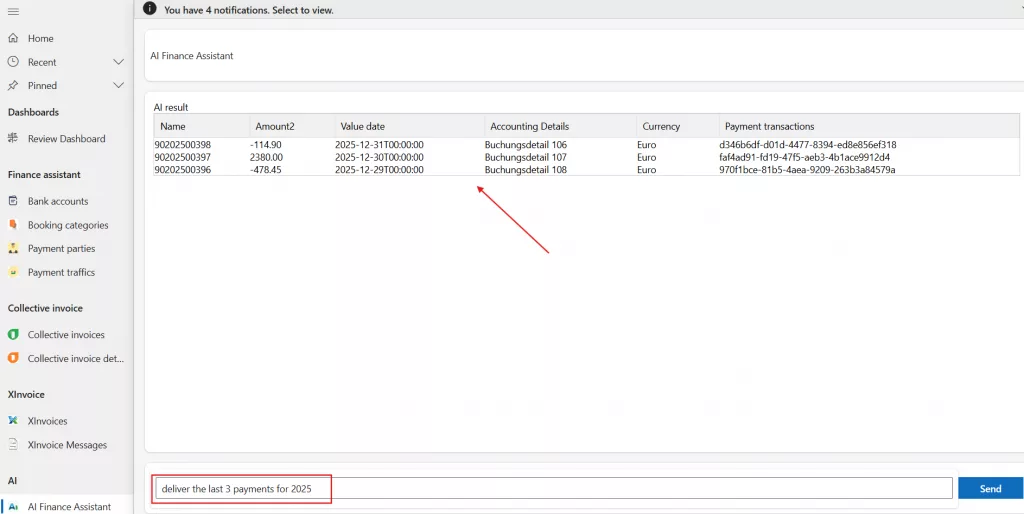
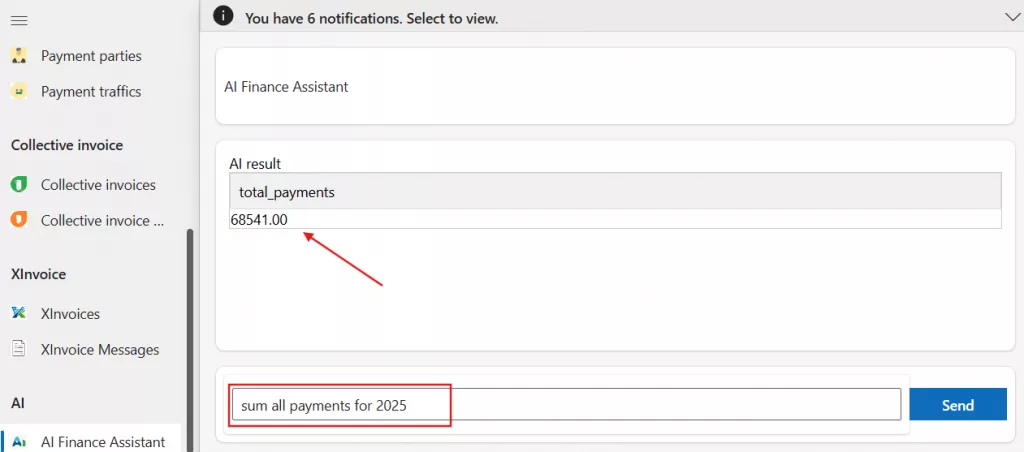
The user asks their questions to AI in natural language. With the help of AI, the results are prepared and the affected data sets are returned. This AI module uses the Qnurex Finance AI service, which is provided as SaaS.
Example 1: deliver the last 3 payments for 2025.
Example 2: sum all payments for 2025.
Qnurex Finance AI service
It is a Software as a Service (SaaS). It’s the interface of the Qnurex Finance AI agent.
XInvoice (XRechnung) module
An XInvoice corresponds to the structured invoice data according to the XInvoice standard based on Business Cases Version 03.06a (for more details about the standard https://xeinkauf.de/dokumente/#xrechnung).
This module allows the import of incoming XInvoices and the creation of outgoing XInvoices.
Import XInvoice
To import an XInvoice, go to “XInvoice Messages” in the Left menu. Then click on “Create New” in the top menu. Fill in the fields (Name, External Id, External Message Type, External Operator, External System, External Key) and copy the XInvoice message as XML format into the “Message” field – see the following figure as example:
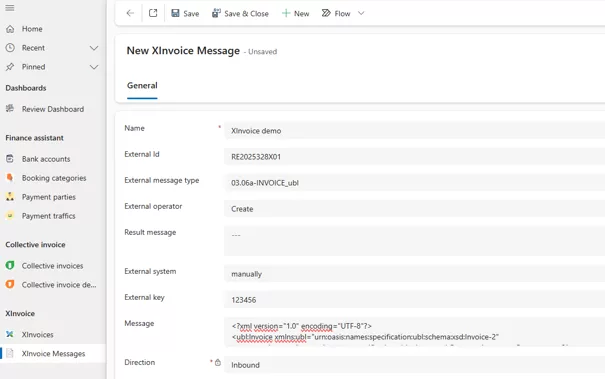
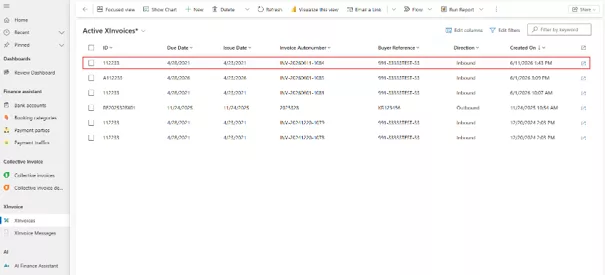
Then press “Save and Close”. This is how the XInvoice is stored. The entry then becomes read-only. The app uses this to create an XInvoice structure into the entity “XInvoice” – see the Figure:
Create XInvoice outbound
The XInvoice module implements the XInvoice standard specification Business Cases Version 03.06a. (for more details about the standard https://xeinkauf.de/dokumente/#xrechnung).
The XInvoice consists of:
- XInvoice Header
- XInvoice Payment Methods
- XInvoice Invoice Data
- Invoice Parties
- Items
- VAT Subtotal (automatically generated)
- VAT Total (automatically generated)
- Total Amount (automatically generated)
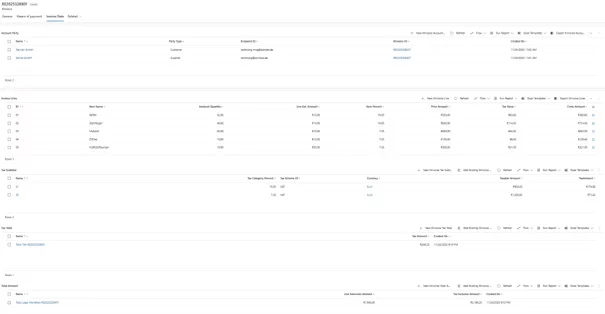
The app “Qnurex Finance Cloud with AI” offers user-friendly input forms for each entity, so users can easily enter the XInvoice data. The following illustration provides an overview of the XInvoice’s invoice data:
Print XInvoice
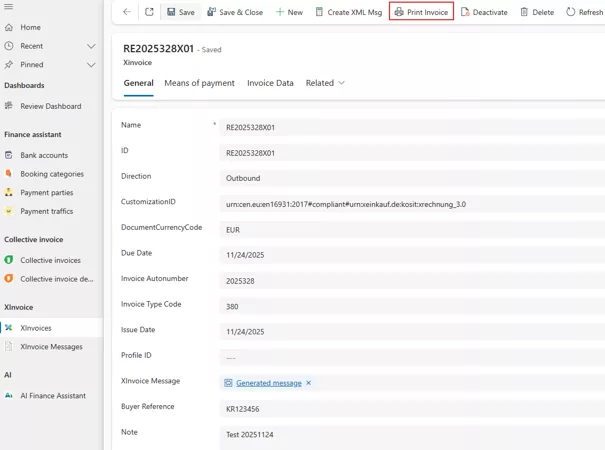
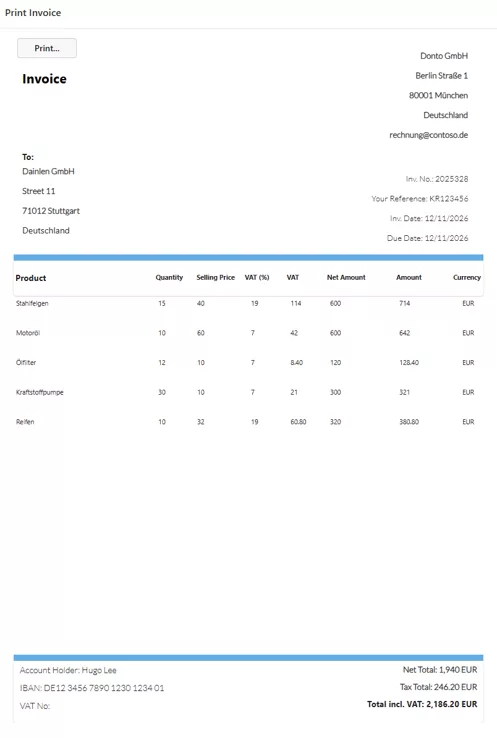
You can print out XInvoice. When the XInvoice data is complete, click on the “Print Invoice” button in the top menu.
Example:
Finance Assistant module
The Finance Assistant consists of Finance Assistant and Collective Invoice entities. To import the payment transactions, proceed as follows:
- create your bank account
- create your booking categories
- create your payment parties
- import your payment transactions as a CSV file, for example
Notes: An automated interface to your bank can be implemented to automatically import the data of your payment transactions.
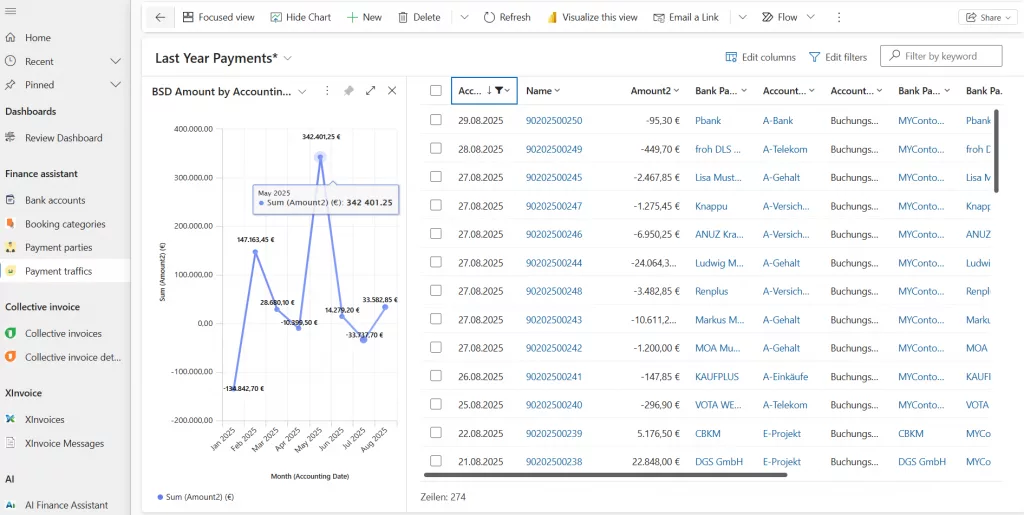
The following illustration shows a section of the payment transactions with a diagram:
Collective invoice module
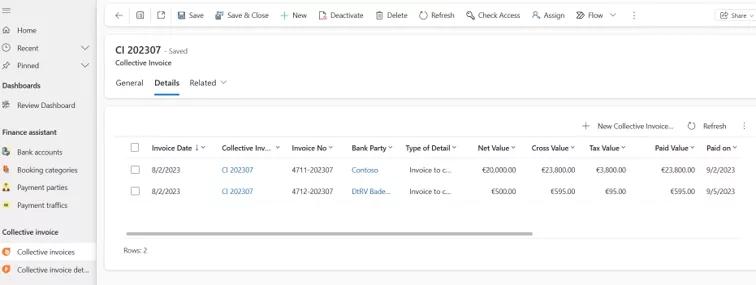
The Collective Invoice module offers the possibility to combine several collective invoice details into one collective invoice. This significantly reduces the administrative burden.
Example:
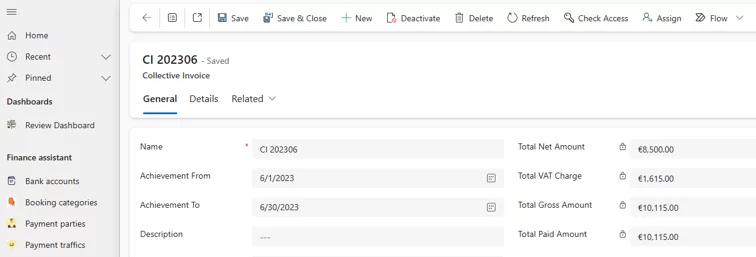
A collective invoice includes the collective invoice details:
Contact us
For more information and support, get in touch with us now – Link. We’re happy to take care of your request.
Microsoft Marketplace
The app will be available on the Microsoft Marketplace soon.